The secret to a long-lasting and accurate game lies in maintaining electronic dartboard equipment properly; this involves regular cleaning, careful handling, and timely repairs. This article will cover everything from basic cleaning routines to troubleshooting common problems, ensuring your dartboard remains in top condition for years to come.
⚠️ Still Using Pen & Paper (or a Chalkboard)?! ⚠️
Step into the future! The Dart Counter App handles all the scoring, suggests checkouts, and tracks your stats automatically. It's easier than you think!
Try the Smart Dart Counter App FREE!Ready for an upgrade? Click above!
Why is Maintaining Electronic Dartboard Important?
Maintaining electronic dartboard equipment goes beyond just keeping it clean; it’s about preserving its functionality and extending its lifespan. Neglecting maintenance can lead to inaccurate scoring, unresponsive segments, and ultimately, a broken dartboard. Proper care ensures fair gameplay and protects your investment.
- Accuracy: A clean and well-maintained board registers scores accurately, preventing frustrating gameplay.
- Longevity: Regular maintenance prevents wear and tear, extending the lifespan of your dartboard.
- Hygiene: Cleaning removes dirt, dust, and germs, promoting a healthier playing environment.
- Cost Savings: Preventing damage through maintenance is cheaper than replacing the entire board.
Essential Cleaning Supplies for Your Electronic Dartboard
Before you begin any cleaning or maintenance tasks, gather the necessary supplies. Having the right tools on hand will make the process easier and more effective.
- Soft Cloths: Microfiber cloths are ideal for wiping down the surface of the dartboard.
- Gentle Cleaning Solution: A mild soap and water solution or specialized electronic cleaner is best. Avoid harsh chemicals.
- Soft-Bristled Brush: A small brush can help remove dirt and debris from the segment holes.
- Cotton Swabs: Useful for cleaning hard-to-reach areas and small crevices.
- Compressed Air (Optional): Can be used to blow dust and debris from the internal components. Use with caution.
Step-by-Step Guide to Cleaning Your Electronic Dartboard
Follow these steps to effectively clean your electronic dartboard and keep it in optimal condition.
- Unplug the Dartboard: Always disconnect the dartboard from the power source before cleaning.
- Wipe Down the Surface: Use a soft, damp cloth to gently wipe down the entire surface of the dartboard. Avoid excessive moisture.
- Clean the Segment Holes: Use a soft-bristled brush or cotton swabs to remove any dirt or debris from the segment holes.
- Address Sticky Residue: If there is any sticky residue, use a gentle cleaning solution and a soft cloth to remove it.
- Dry Thoroughly: Ensure the dartboard is completely dry before plugging it back in.
Proper cleaning will greatly improve the dartboard’s performance, helping you Choose Best Dart Equipment.
Troubleshooting Common Electronic Dartboard Problems
Even with regular maintenance, you may encounter some common issues with your electronic dartboard. Here are some troubleshooting tips:
- Unresponsive Segments:
- Check for Debris: Clean the segment holes thoroughly to remove any obstructions.
- Inspect the Wiring: Ensure the wiring is properly connected and not damaged.
- Test the Sensors: Use the dartboard’s built-in diagnostic mode (if available) to test the sensors.
- Incorrect Scoring:
- Clean the Board: Dirt and debris can interfere with the scoring sensors.
- Calibrate the Board: Some dartboards have a calibration feature that can improve accuracy.
- Check Dart Tips: Worn or damaged dart tips can cause inaccurate scoring.
- Power Issues:
- Check the Power Cord: Ensure the power cord is securely plugged in and not damaged.
- Test the Outlet: Try plugging the dartboard into a different outlet.
- Replace the Fuse: If the dartboard has a fuse, check if it needs to be replaced.
Preventive Measures to Extend Dartboard Life
Taking proactive steps can significantly extend the life of your electronic dartboard and prevent costly repairs.
- Use Quality Darts: Using darts with sharp, well-maintained tips will reduce wear and tear on the dartboard segments.
- Rotate the Dartboard: Regularly rotate the dartboard to distribute wear evenly across all segments.
- Avoid Excessive Force: Throw darts with a smooth, controlled motion. Avoid throwing darts too hard, as this can damage the segments.
- Store Properly: When not in use, store the dartboard in a dry, clean environment to prevent damage from moisture or dust.
- Regular Maintenance Schedule: Establish a regular cleaning schedule to prevent buildup of dirt and debris.
Choosing the Right Darts for Your Electronic Dartboard
The type of darts you use can significantly impact the lifespan and performance of your electronic dartboard. Opting for quality darts is a worthwhile investment.
- Dart Tip Material: Plastic tips are designed for electronic dartboards. Ensure the tips are in good condition and replace them when they become worn or damaged.
- Dart Weight: Choose a dart weight that is comfortable for you to throw. Heavier darts may cause more impact on the board, but lighter darts might not stick as well. Experiment to find the right balance.
- Dart Quality: Investing in quality darts ensures the tips are less likely to break off inside the dartboard, preventing damage and frustration. Consider exploring the Budget vs Premium Darts Compared.
Repairing Minor Damage on Your Electronic Dartboard
Minor damage, such as loose segments or broken dart tips stuck inside the board, can often be repaired at home. Here’s how:
- Loose Segments:
- Identify the Loose Segment: Carefully examine the dartboard to identify the loose segment.
- Secure the Segment: Use a small amount of adhesive (such as super glue) to secure the segment back in place. Be careful not to get glue on the sensors.
- Allow to Dry: Allow the glue to dry completely before using the dartboard.
- Broken Dart Tips:
- Use Dart Tip Removal Tool: Use a specialized dart tip removal tool to extract the broken tip from the dartboard.
- Carefully Extract: Gently twist and pull the tool until the broken tip is removed.
- Avoid Damage: Be careful not to damage the surrounding segments or sensors.
Understanding Electronic Dartboard Scoring Systems
Familiarizing yourself with the scoring system of your electronic dartboard is crucial for accurate gameplay and troubleshooting. Most boards have a built-in display that shows the scores and provides feedback on each throw.
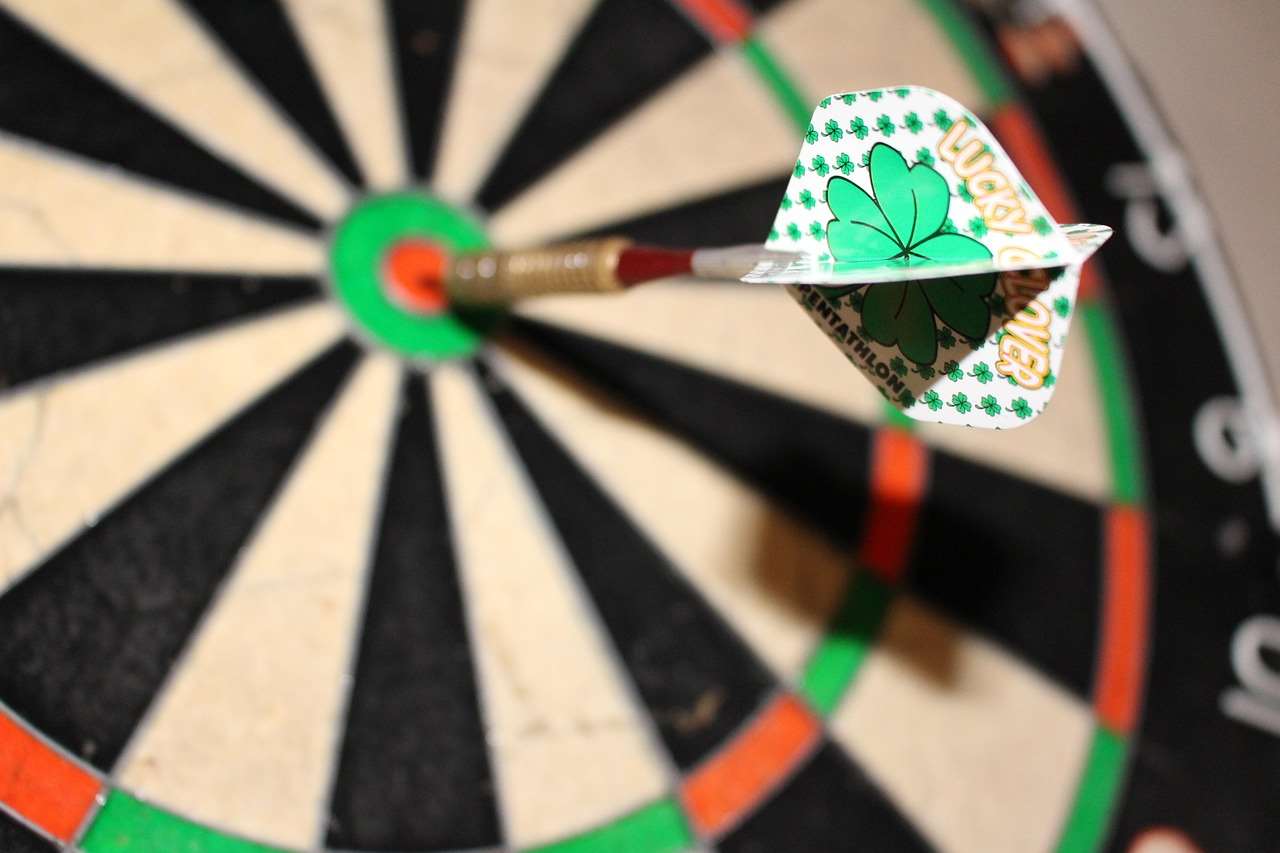
- Segment Values: Each segment of the dartboard corresponds to a specific point value.
- Multiplier Rings: The outer thin ring doubles the value of the segment, while the inner thin ring triples the value.
- Bullseye: The outer bullseye is worth 25 points, and the inner bullseye (double bull) is worth 50 points.
- Scoring Errors: If you notice any scoring errors, refer to the troubleshooting section of your dartboard’s manual.
Knowing about premium dart equipment will help in Investing In Premium Dart Equipment.
Upgrading Your Electronic Dartboard Setup
Consider upgrading your setup to enhance your dart playing experience. This might involve purchasing new darts, installing better lighting, or adding a surround to protect your walls.
- Lighting: Good lighting is essential for clear visibility. Consider adding a dedicated dartboard light to illuminate the board evenly.
- Surround: A dartboard surround protects your walls from stray darts and provides a professional look.
- Darts: Experiment with different dart weights, shapes, and materials to find the perfect darts for your throwing style.
Final Thoughts on Maintaining Electronic Dartboard
Maintaining electronic dartboard equipment is essential for ensuring accurate scoring, prolonging its lifespan, and enjoying a high-quality game. By following the cleaning and maintenance tips outlined in this article, you can keep your dartboard in top condition for years to come. Remember to clean regularly, troubleshoot promptly, and take preventive measures to avoid damage. A well-maintained dartboard will provide countless hours of fun and entertainment.
Ready to take your dart game to the next level? Start implementing these maintaining electronic dartboard techniques today and see the difference! Good luck, and happy darting!

Hi, I’m Dieter, and I created Dartcounter (Dartcounterapp.com). My motivation wasn’t being a darts expert – quite the opposite! When I first started playing, I loved the game but found keeping accurate scores and tracking stats difficult and distracting.
I figured I couldn’t be the only one struggling with this. So, I decided to build a solution: an easy-to-use application that everyone, no matter their experience level, could use to manage scoring effortlessly.
My goal for Dartcounter was simple: let the app handle the numbers – the scoring, the averages, the stats, even checkout suggestions – so players could focus purely on their throw and enjoying the game. It began as a way to solve my own beginner’s problem, and I’m thrilled it has grown into a helpful tool for the wider darts community.