Tired of mental math during your darts games? A reliable **darts scorer android** app is the solution, simplifying scorekeeping and enhancing your overall playing experience. This article explores the best **darts scorer apps** available for Android, covering their features, benefits, and how they can elevate your game, as well as diving into the world of digital dartboards, electronic scoreboards, and more.
⚠️ Still Using Pen & Paper (or a Chalkboard)?! ⚠️
Step into the future! The Dart Counter App handles all the scoring, suggests checkouts, and tracks your stats automatically. It's easier than you think!
Try the Smart Dart Counter App FREE!Ready for an upgrade? Click above!
Why Use a Darts Scorer Android App?
Before diving into specific apps, let’s understand why a darts scorer android app is a must-have for any serious darts player. Gone are the days of chalkboards and complicated calculations. A good app brings numerous advantages:
- Accuracy: Eliminates human error in scorekeeping.
- Speed: Quickly calculates scores, allowing you to focus on your throws.
- Statistics: Tracks your performance over time, revealing strengths and weaknesses.
- Game Variety: Supports various game types like 501, 301, Cricket, and more.
- User-Friendly Interface: Easy to navigate and understand, even for beginners.
- Multiplayer Support: Enables scoring for multiple players or teams.
Using a **digital scoreboard** significantly improves the overall experience. The convenience and accuracy are unmatched. Many players also appreciate the ability to review past games and analyze their performance trends. Even casual players can enjoy the game more when they don’t have to worry about keeping score manually.

Features to Look For in a Darts Scorer Android App
Not all **darts scorer android** apps are created equal. Consider these features when making your choice:
- Game Types: Does it support the games you play most often? Look for 501, 301, Cricket, Around the Clock, and custom game options.
- Player Profiles: Can you create profiles for different players and track their individual statistics?
- Checkout Suggestions: Some apps offer suggestions for optimal checkout routes, which can be incredibly helpful.
- Statistics Tracking: Look for detailed statistics such as average score, highest score, doubles hit percentage, and more.
- Undo Function: A must-have for correcting accidental entries.
- Customization: Can you customize the app’s appearance and settings to your liking?
- Connectivity: Does it offer online multiplayer functionality or integration with other platforms?
The ability to track **player statistics** is invaluable for improving your game. Reviewing your performance data can reveal areas where you need to focus your practice. For example, if your doubles percentage is low, you know you need to work on hitting those crucial finishing shots. Don’t underestimate the power of data analysis!
Recommended Darts Scorer Android Apps
Here are some of the top-rated **darts scorer android** apps available on the Google Play Store:
- DartCounter: A popular choice with a clean interface, comprehensive statistics, and online multiplayer support. Check out App to score darts
- MyDartTraining: Offers advanced training features in addition to scorekeeping, making it ideal for serious players.
- Pro Darts Scorer: A simple and easy-to-use app that covers all the basics.
- WebDarts Scoreboard: An app focused on simplicity and ease of use.
When choosing an app, consider trying out a few free versions to see which one best suits your needs and preferences. Pay attention to the user interface and whether it feels intuitive to you. Remember that a **user-friendly darts scorer android** app is essential for a seamless experience. Many apps offer free trials or limited functionality in their free versions, allowing you to test them before committing to a purchase.
Setting Up Your Darts Scorer Android App
Once you’ve chosen your **darts scorer android** app, here’s how to get started:
- Download and Install: Download the app from the Google Play Store and install it on your Android device.
- Create Player Profiles: Add profiles for yourself and any other players who will be using the app.
- Configure Settings: Adjust the app’s settings to your preferences, such as game types, scoring options, and display settings.
- Start Playing: Begin a new game and start entering scores. The app will automatically calculate the remaining score and provide helpful suggestions.
Take some time to familiarize yourself with the app’s interface and features. Many apps offer tutorials or help sections to guide you through the setup process. Don’t hesitate to explore all the options and customize the app to your liking. Consider the effect of darts flight difference on your setup.
Advanced Features and Tips
Beyond basic scorekeeping, many **darts scorer android** apps offer advanced features that can help you improve your game. Here are some tips for maximizing your app’s potential:
- Analyze Your Statistics: Regularly review your statistics to identify areas for improvement. Pay attention to your average score, doubles percentage, and other key metrics.
- Use Checkout Suggestions: If your app offers checkout suggestions, take advantage of them. They can help you learn optimal checkout routes and improve your finishing skills.
- Practice Regularly: Consistent practice is key to improving your darts game. Use your app to track your progress and stay motivated.
- Experiment with Different Game Types: Try playing different game types to challenge yourself and improve your overall skills.
- Join Online Leagues: Many **darts scorer android** apps offer online multiplayer functionality, allowing you to compete against players from around the world. Joining an online league can be a great way to stay motivated and improve your game.
Consider your darts used for checkout and practice these shots regularly. The more you use the app, the more you’ll discover its hidden features and benefits. You can also look for other players online to play using the darts scorer apps, especially if you are missing your usual flight club dart members.
Troubleshooting Common Issues
Even with the best **darts scorer android** app, you may encounter occasional issues. Here are some common problems and how to fix them:
- App Freezes or Crashes: Try restarting the app or your device. If the problem persists, try reinstalling the app.
- Incorrect Scores: Double-check your entries and use the undo function to correct any mistakes.
- Connectivity Issues: Make sure you have a stable internet connection if you’re using online multiplayer features.
- Battery Drain: Some apps can drain your battery quickly. Try closing other apps and reducing your screen brightness to conserve power.
If you’re still experiencing problems, check the app’s help section or contact the developer for support. Don’t be afraid to troubleshoot and experiment to find solutions. A little patience can go a long way in resolving technical issues.

The Future of Darts Scoring: Beyond Android Apps
While **darts scorer android** apps are a fantastic tool, the future of darts scoring extends beyond them. We’re seeing the rise of smart dartboards and integrated systems that automate the entire scoring process. These systems often connect wirelessly to your smartphone or tablet, providing real-time feedback and analysis. Expect to see even more innovation in this area in the coming years, making darts scoring even more convenient and accurate. You might want to get a darts 180 tattoo to display your commitment to the sport.
Additionally, advancements in artificial intelligence (AI) could revolutionize darts training. Imagine a system that analyzes your throws in real-time and provides personalized feedback to help you improve your technique. While this technology is still in its early stages, it has the potential to transform the way we learn and practice darts.
Benefits of Tracking Your Darts Statistics
A robust **darts scorer android** app can provide a treasure trove of data to help you improve your game. Tracking your statistics provides concrete insights into your performance, enabling you to tailor your practice routines and identify areas where you can make the most significant gains. You can check your dart schaft gewinde größe and see how this affects your average score.
- Identify Weaknesses: Pinpoint areas where you consistently struggle. Is it hitting doubles? Triples? Certain numbers?
- Track Progress: Monitor your improvement over time to see if your training is paying off.
- Set Goals: Use your statistics to set realistic and achievable goals.
- Optimize Practice: Focus your practice on the areas where you need the most improvement.
- Gain Confidence: Seeing your progress in black and white can boost your confidence and motivation.

Combining a Darts Scorer Android App with a Smart Dartboard
For the ultimate darts experience, consider pairing your **darts scorer android** app with a smart dartboard. These innovative dartboards automatically detect where your darts land and transmit the data to your app in real-time. This eliminates the need for manual scorekeeping and provides even more accurate and detailed statistics. While smart dartboards can be more expensive than traditional boards, the added convenience and functionality make them a worthwhile investment for serious players. See the different between different target darts x
Smart dartboards often come with additional features such as online multiplayer support and training modes. They can also track your performance over time and provide personalized feedback to help you improve your game. If you’re looking for a way to take your darts game to the next level, a smart dartboard is definitely worth considering. The cost is usually more, but for many people, the convenience is worth it.
Choosing the Right Darts Flights for Your Game
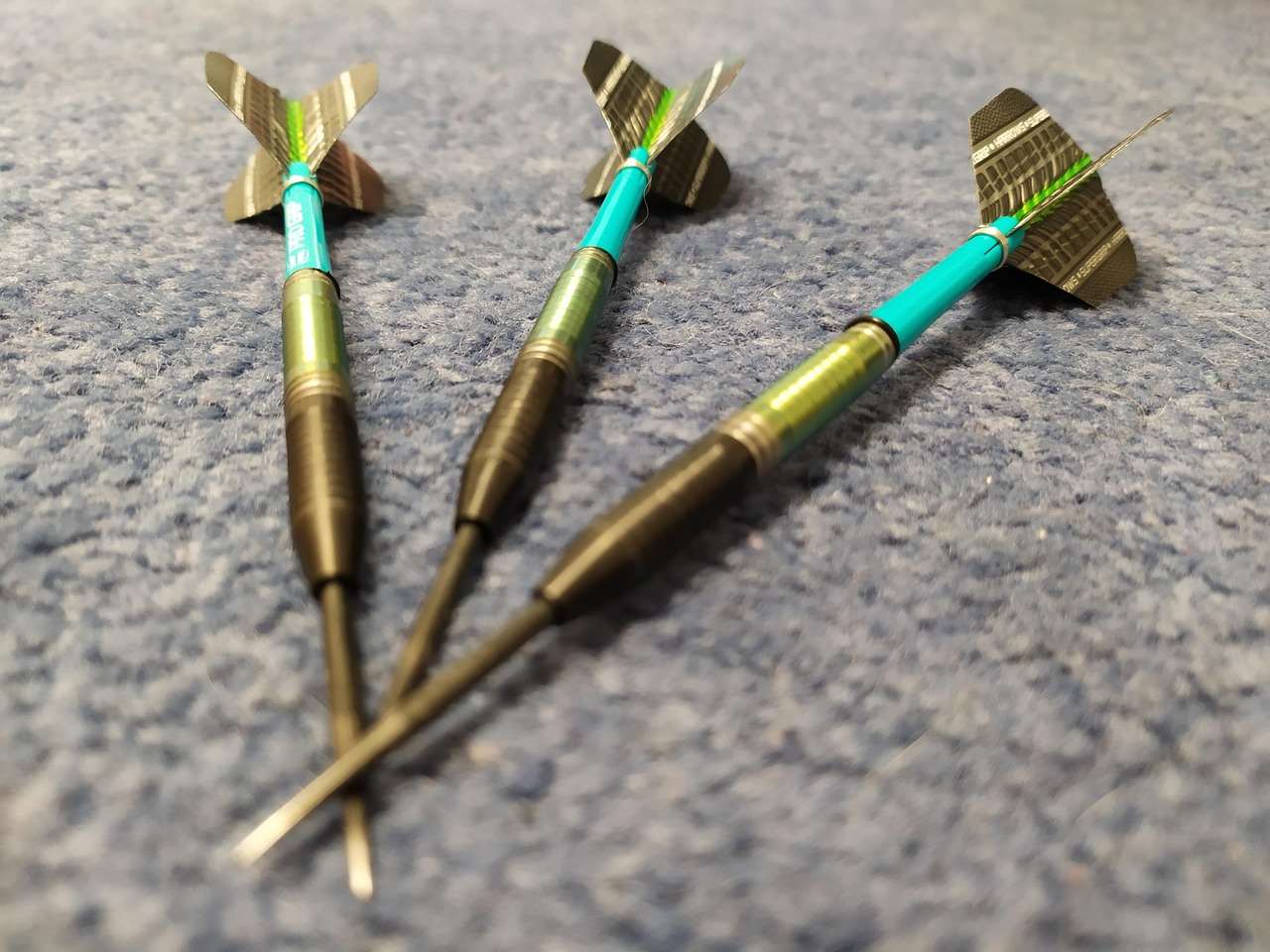
While a **darts scorer android** app will help you track the results of your throws, the equipment you use greatly influences those results. Your flights, shafts, and barrels play a crucial role in determining the trajectory and stability of your darts. Experimenting with different types of flights can help you find the optimal setup for your throwing style. Some players prefer dart flights feather, while others might favor modern synthetic materials.
- Shape: Different flight shapes (standard, kite, slim, etc.) affect the dart’s stability and drag.
- Material: Thicker flights are more durable but can also create more drag.
- Size: Larger flights provide more stability, while smaller flights are faster but less forgiving.
Conclusion
A **darts scorer android** app is an invaluable tool for any darts player, whether you’re a seasoned pro or just starting out. By eliminating the need for manual scorekeeping, providing accurate statistics, and offering advanced features like checkout suggestions, these apps can significantly enhance your overall playing experience. Choose the app that best suits your needs and preferences, and start tracking your progress today. Remember to analyze your statistics, practice regularly, and experiment with different game types to maximize your potential. With the right app and a little dedication, you’ll be hitting those 180s in no time! Download your **darts scorer android** app today and elevate your game!

Hi, I’m Dieter, and I created Dartcounter (Dartcounterapp.com). My motivation wasn’t being a darts expert – quite the opposite! When I first started playing, I loved the game but found keeping accurate scores and tracking stats difficult and distracting.
I figured I couldn’t be the only one struggling with this. So, I decided to build a solution: an easy-to-use application that everyone, no matter their experience level, could use to manage scoring effortlessly.
My goal for Dartcounter was simple: let the app handle the numbers – the scoring, the averages, the stats, even checkout suggestions – so players could focus purely on their throw and enjoying the game. It began as a way to solve my own beginner’s problem, and I’m thrilled it has grown into a helpful tool for the wider darts community.